SIRT

Dispatch tracking, from the call to the report

SIRT is a web application for tracking and reporting security guard dispatch calls — every call, the officer assigned to it, and where it stands.

What is SIRT?

One platform for the school security office

When a security dispatch call comes in, SIRT records it: the call code, the location, the officer who was assigned, and what happened next. Dispatchers keep the board current, and administrators get the reporting to go with it.

SIRT was developed with school security staff in Connecticut. Each organization works with its own setup — its own call codes, call statuses, and officer list.

It is built for the school security office — the person who runs the dispatch board, the front door, and the report all in one day. Dispatch calls and visitor registration live in the same platform.
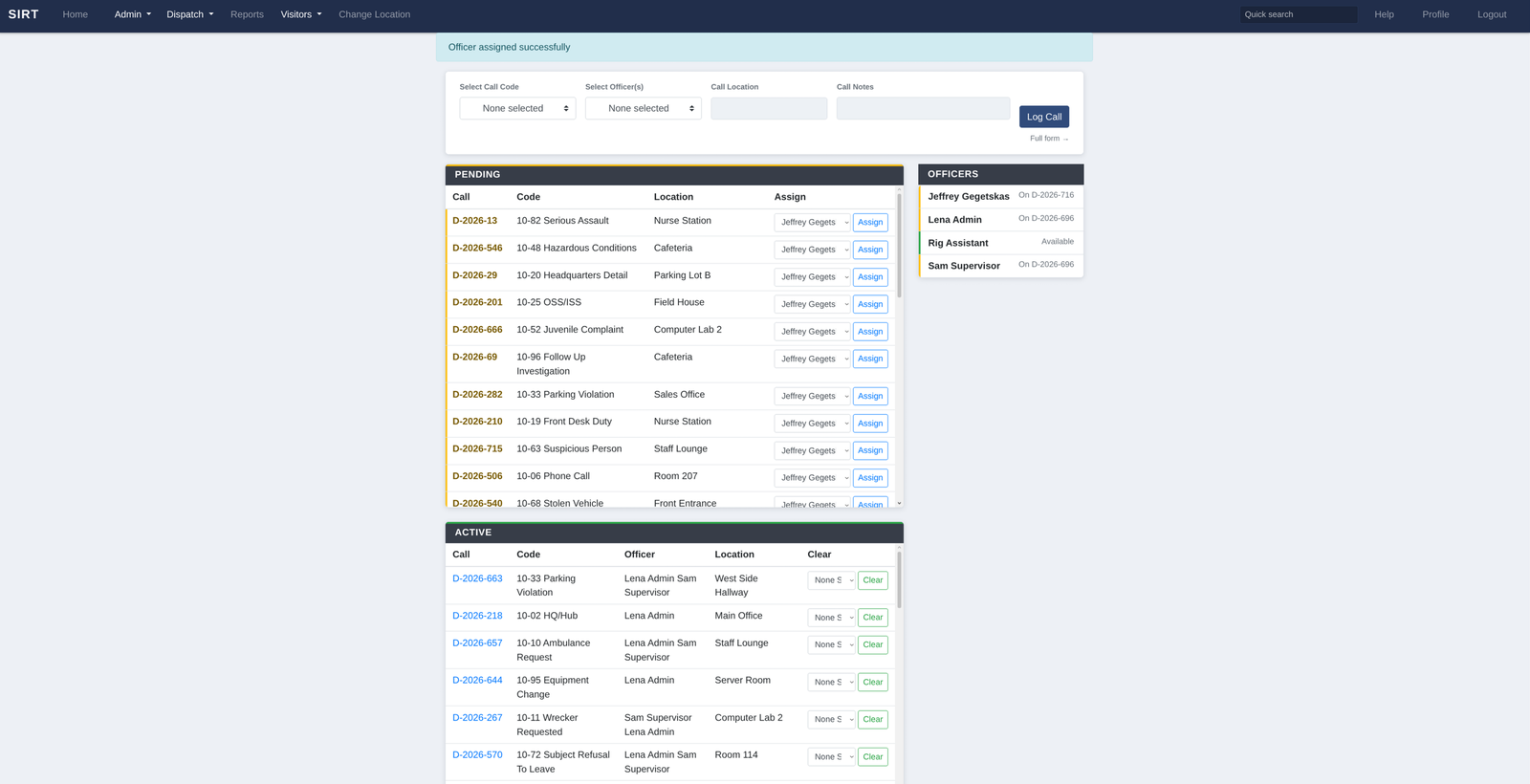
The SIRT dispatch board with pending and active calls and the officer list
The dispatch board — open calls, codes, and who’s on them.

In SIRT

The dashboard, the call log, and the reports.

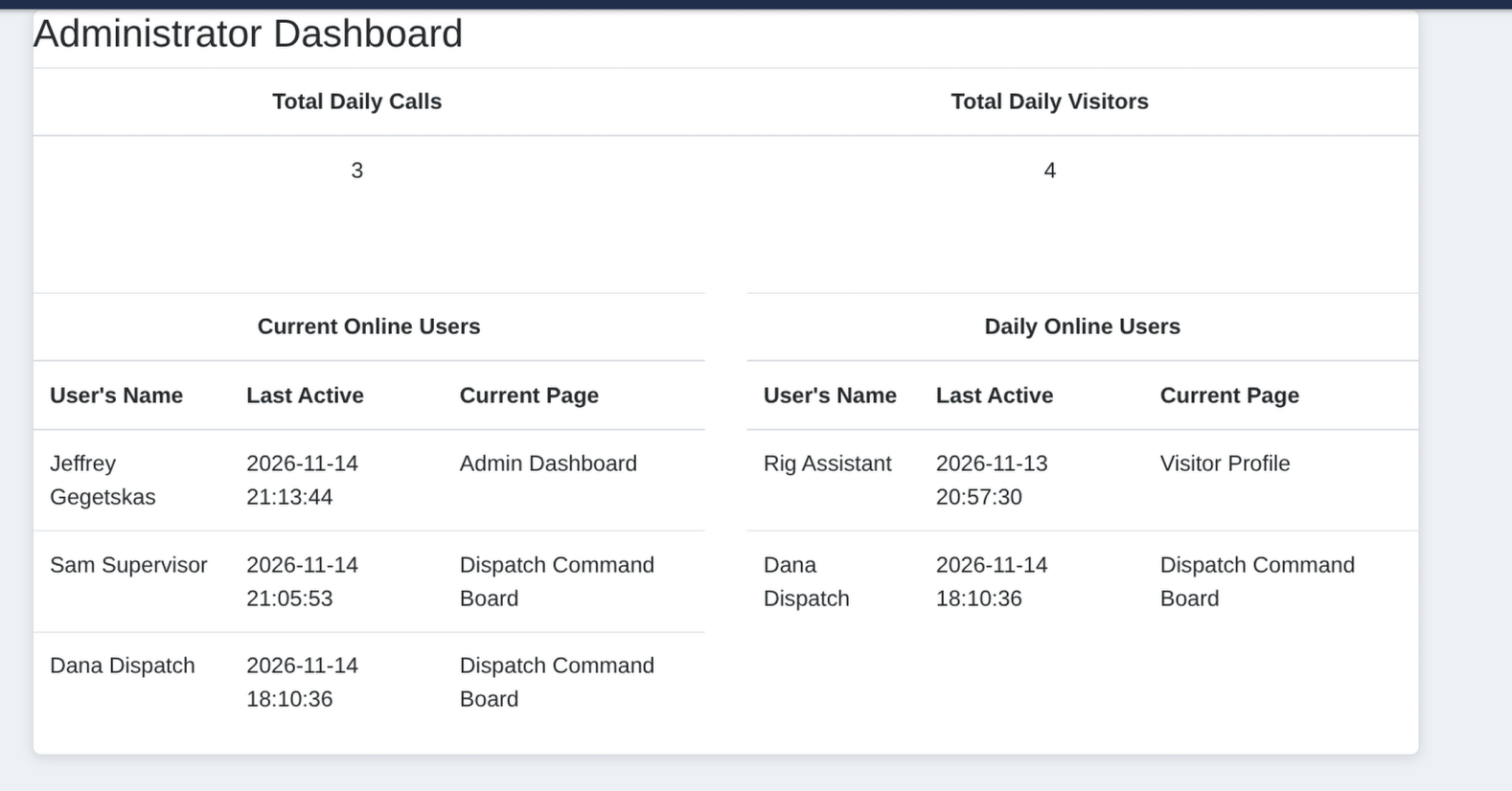
The SIRT administrator dashboard with daily call and visitor counts and the users currently online
The administrator dashboard — today’s calls and visitors, and who’s online.
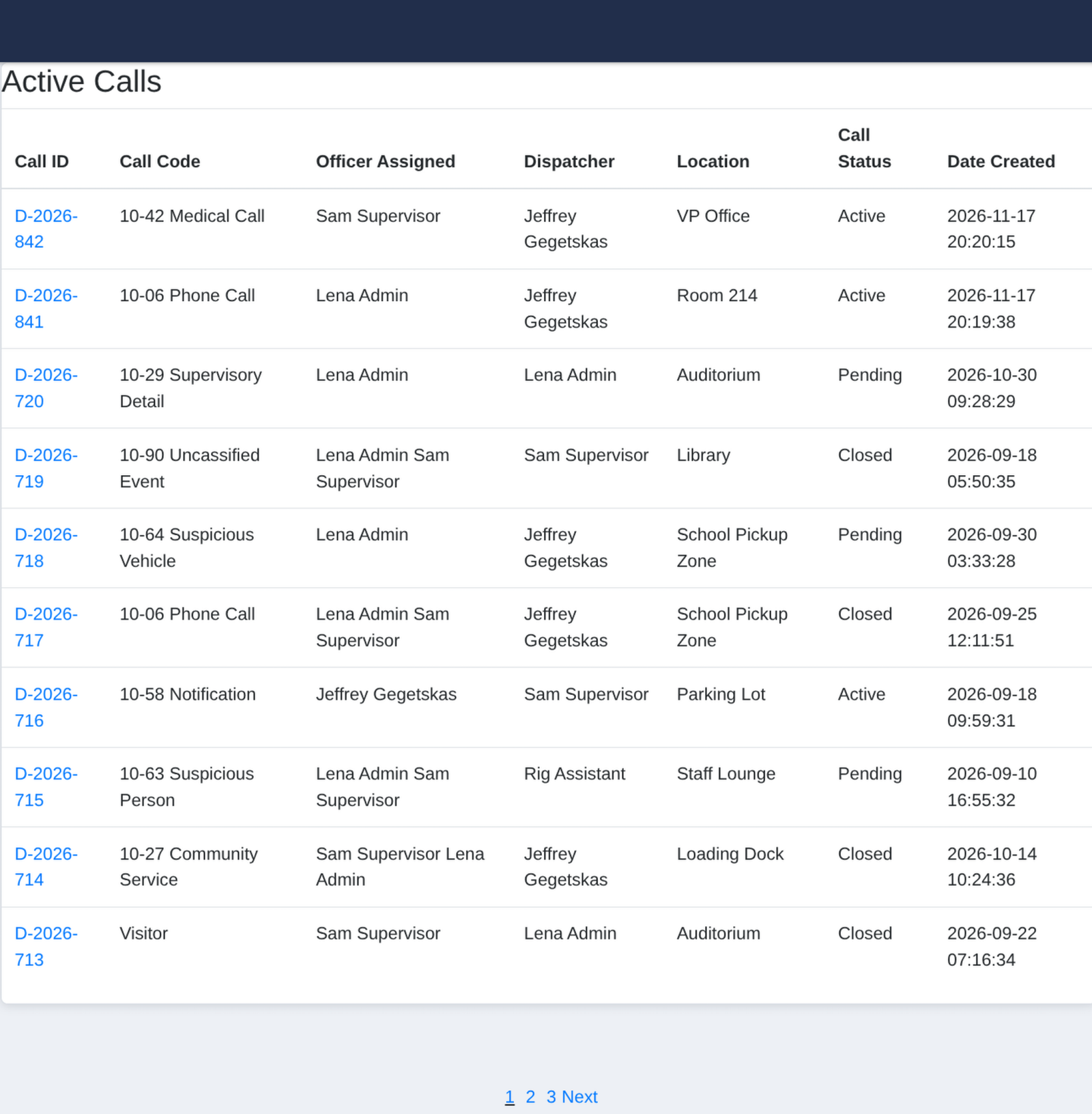
The SIRT call log list with call code, assigned officer, location, status, and date for each call
The call log — every call, its officer, location, and status.
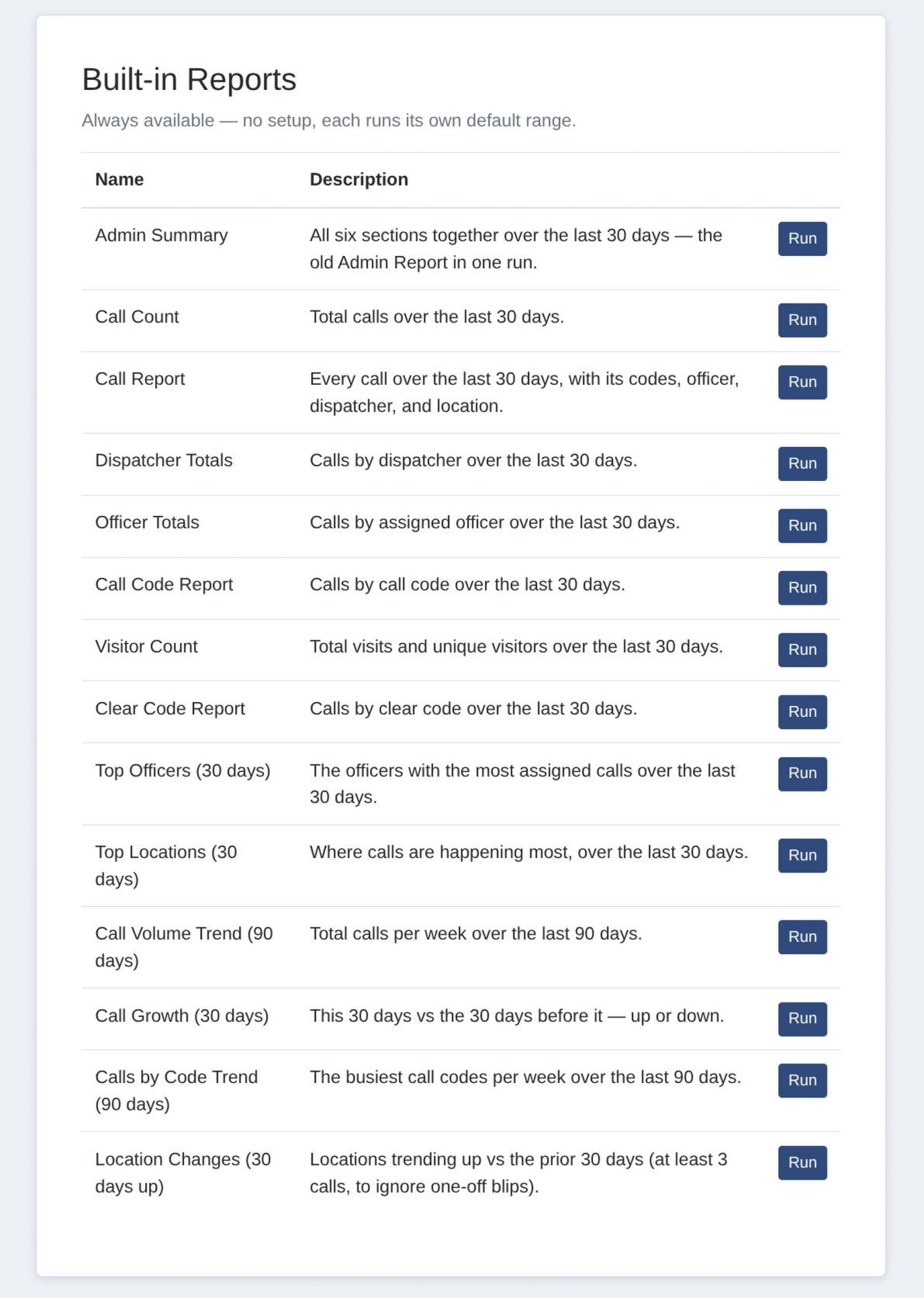
The SIRT built-in reports list
Built-in reports — available with no setup.

What SIRT does

One board for dispatch calls, from the moment they come in to the report at the end of the day.

Dispatch Call Logging

Log each call with its code and location, and keep an open-calls view of everything in progress.

Officer Assignment

Assign the responding officer to each call, so the record shows who handled it.

Your Codes and Statuses

Each organization works with its own call codes, clear codes, and call statuses — the way your dispatch board already runs.

Reporting

Dispatch reports, custom reports, and an administrator view of the calls your organization logged.

Call Clear-Out

Close a call with its clear code and any notes, so the board reflects what actually happened.

Per-Organization Setup

Each site gets its own organization — its own people, codes, and settings, independent of the rest.

How it works

The same loop, every call.

  1. 1

    Log the call

    The dispatcher logs the call with its code and location, and it shows up on the open-calls board.

  2. 2

    Assign the officer

    The responding officer is assigned to the call, so the record follows it.

  3. 3

    Clear the call

    When it’s resolved, the call is cleared with its clear code and any notes.

  4. 4

    Review the reports

    Dispatch reports and custom reports pull the calls together when you need them.

Visitors, and what’s next

Visitor registration is here; visitor reporting is next.

Visitor Registration

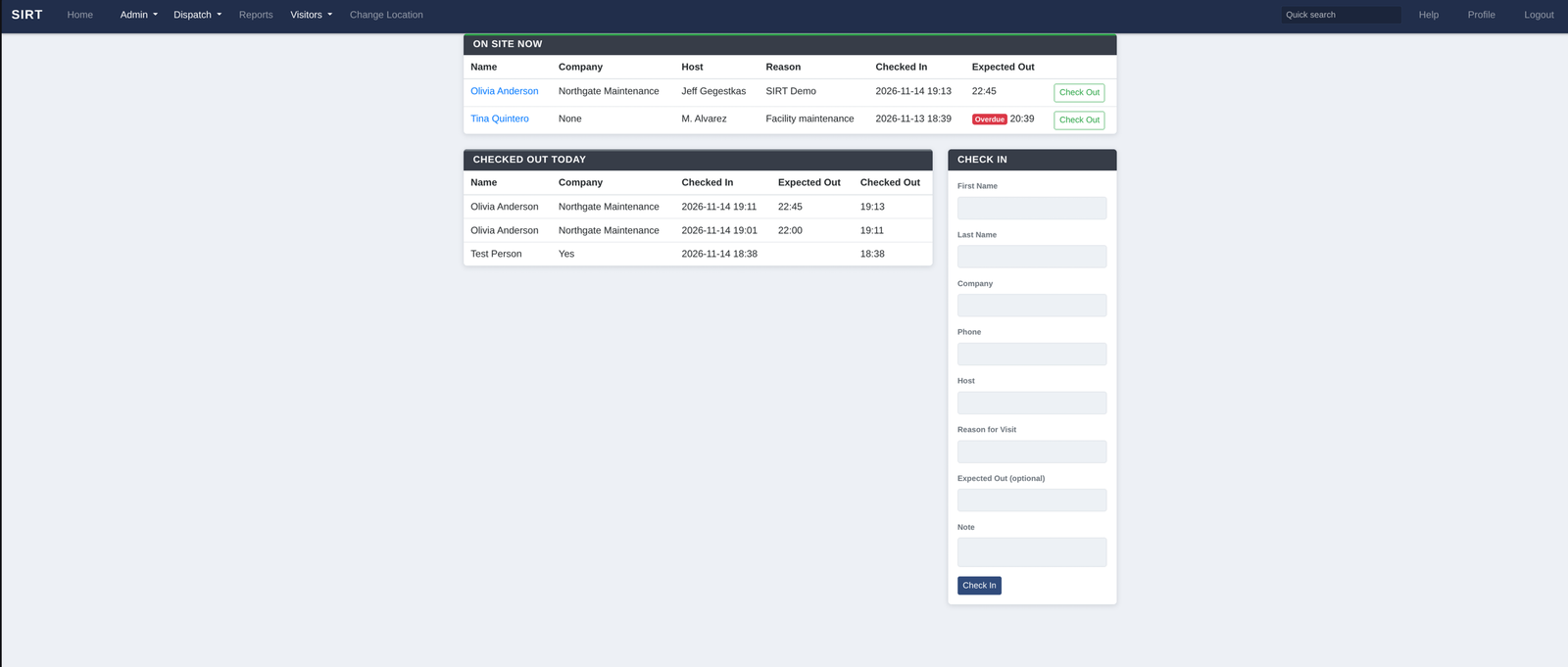
Check visitors in and out at the door, with an on-site board that flags anyone past their expected time.

Available

Visitor Reporting

Reporting that goes with it.

Planned
The SIRT visitor page with visitors currently on site, today's check-outs, and the check-in form
The visitor page — check in at the door, check out on the way out.

Want to see SIRT in action?

Tell us what your dispatch operation looks like and we’ll show you how SIRT fits it.

Contact Us